This is an old revision of the document!
RX-7
Info
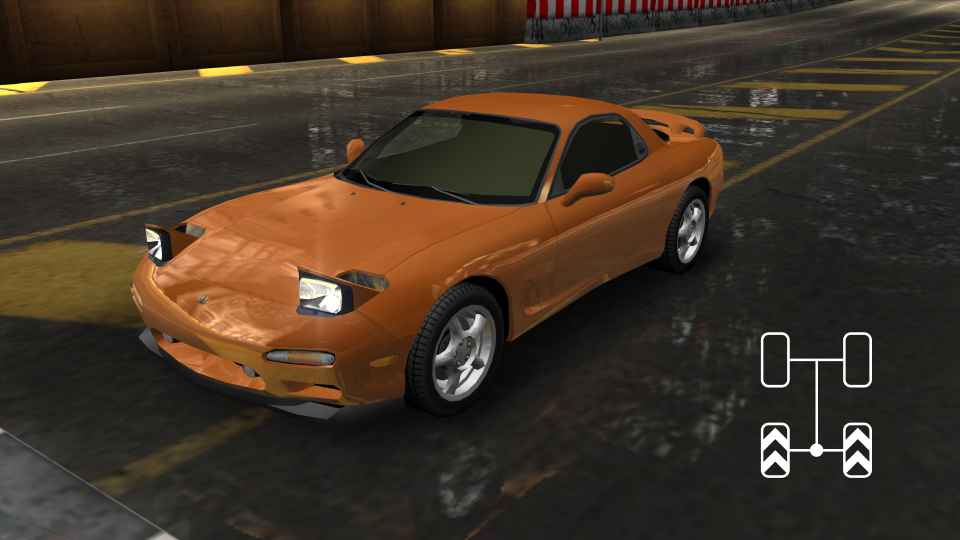
The Mazda RX-7 is a Front Engine RWD car.
To achieve good times, you have to learn what is known as RWD Double Steering (DS).
This technique is able to be done on both wheel and controller effectively, although some tracks are better on one or the other.
All general RWD DS knowledge applies to the RX-7 and the vast majority also applies to the Miata.
TIP:
Never use the 6th gear while not in the air, as you never have enough speed for the gearing to benefit you. Only use it on NOS laps or while doing jumptech.
Basic DS Drift (RWD)
For DS to work, your game needs to recognize your controller as “wheel” (doesn't matter if it is a gamepad or a wheel) in the controls menu. If this is not the case, please follow these steps to set it up correctly.
Input
For the Inputs that you have to apply for the DS to work, you have to set 2 steering inputs in-game:
- Analog (Left stick or the wheel itself if you are playing real wheel)
- Digital (Any other button on controller or wheel, one for left and another one for right).
Once it is all set up, you can try to make the car do the technique by steering somewhere between 30-55% input and then pressing and releasing your digital button while still holding the analog one.
At high enough speed, if your car begins to drift/slide after letting go of your digital button, then congrats, you have done it.
You probably still have a lot to learn after doing this, so play a few laps just to see if you can do some corners with it. A good starting point is to practice it on the first corner of Olympic Square.
There are also a lot of videos showing how to do this DS for each track. Other things that can influence DS is what kind of Unique parts you have equipped and if you have stability control turned on or off.
Timing
Together with your knowledge on how to consistently get your input in the right range to succesfully DS a corner, you will also have to learn how to time that input as well.
They go hand in hand, so you need both the right timing and input for an optimal cornering speed and line.
It is relative to the corner you will prepare for as well as also being dependent on the bumps along the track.
Micro DS drift
To understand this technique we need to understand how we can start and stop a Double Steering drift:
- A DS drift can be initiated by pressing a steering button, while steering ~30-55% (like mentioned above). But it also works by just releasing the button. This means you can use the digital steering button to drive into a corner, and release it at any time to start a drift via double steering technique.
- The second thing we need to understand is, how we can recover a drift. You can get out of a drift by lowering the steering angle. But there is also a different way: You can press the digital steering button again, to basically force your car into an understeer.
If we now combine these 2 mechanics, we can perform a micro drift. First we steer our car into a corner with the digital input. We release the button at any point of the corner, while steering ~30-55%, which will initiate a DS drift. We then quickly press the digital steering input again to cancel the drift. Doing this multiple times in the same corner, you will force the car to start and stop multiple small drifts, hence getting the corner sharper you would normally get. But you don't loose to much speed, like if you would do one long drift. This technique is benefical on some corners in the game, like the last corner of Port Royal.
Tap DS drift
Tapping the digital steering, while holding the analoge steering in the right angle. Depending how fast you tap, it will influence the drift angle of the car. It is basically like the Micro DS drift, just a lot faster.
Snap loose DS drift
Only works with traction controll off. Initate a DS drift, with the right angle and speed the car will go sideways quickly, but then snaps back into neutral position. This can bw useful for sharp corners to keep high speed e.g for Inner City.
Track specific tips
Some basic tips for each track (forward and reverse in one page):