This is an old revision of the document!
RX-7
Info
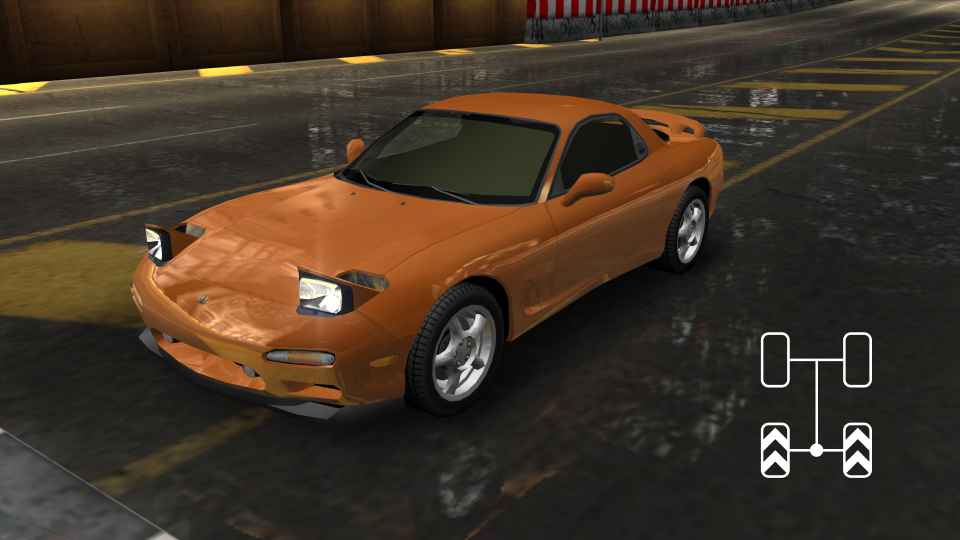
The Mazda RX-7 is a front-engine, rear-wheel-drive (RWD) car.
To achieve competitive times, it is essential to learn the RWD Double Steering (DS) technique.
DS can be performed effectively on both controller and wheel, although some tracks may favor one input method over the other.
All general RWD DS principles apply to the RX-7, and most of them also apply to the Miata.
TIP: Never use 6th gear while on the ground. The RX-7 cannot reach a speed where the gearing becomes beneficial. Only use 6th gear doing jumptech or on NOS laps.
Basic DS Drift (RWD)
For Double Steering to work, the game must recognize your device as a Wheel in the controls menu. This applies even if you are using a gamepad. If your device is not recognized correctly, follow the setup instructions before continuing.
Inputs
Double Steering requires two steering inputs:
- Analog Steering – Left stick or steering wheel.
- Digital Steering – Two buttons, one for steering left and one for steering right.
To initiate a DS drift:
- Hold approximately 30–55% analog steering input.
- Press and release the corresponding digital steering button while maintaining the analog input.
At sufficient speed, the car should begin to slide after releasing the digital input. If this happens, you have successfully initiated a DS drift.
Once you can consistently trigger the drift, practice applying it in corners. The first corner of Olympic Square is a good starting point.
Unique Parts and Stability Control settings can also affect the behavior of DS.
Timing
Learning the correct inputs is not enough—you must also learn the correct timing.
The optimal timing depends on the corner, the racing line, and track features such as bumps and elevation changes. Consistent DS requires both accurate steering input and proper timing.
Micro DS drift
To understand Micro DS, it is important to know how DS drifts are started and stopped.
A DS drift can be initiated by:
- Pressing a digital steering button while holding approximately 30–55% analog steering
- or by Releasing a digital steering button while holding approximately 30–55% analog steering → This allows you to drive into a corner using digital steering and trigger a DS drift simply by releasing the button.
A DS drift can be ended by:
- Reducing the steering angle.
- or by Pressing the digital steering button again, which forces the car into understeer and stops the drift.
A Micro DS Drift combines these mechanics:
- Enter the corner using digital steering.
- Release the button while holding 30–55% analog steering to initiate a DS drift.
- Quickly press the digital steering button again to cancel the drift.
Repeating this process multiple times during a corner creates a series of short drifts. This allows the car to rotate more sharply than normal while maintaining more speed than a single long drift.
This technique is particularly useful on certain corners, such as the final corner of Port Royal.
Tap DS drift
A Tap DS Drift is performed by rapidly tapping the digital steering button while maintaining the correct analog steering angle.
The tapping frequency influences the drift angle and the amount of rotation generated. Conceptually, it is similar to a Micro DS Drift but performed much faster and more continuously.
Snap loose DS drift
Requires Traction Control to be disabled.
Initiate a DS drift with the correct speed and steering angle. Under the right conditions, the car will quickly rotate sideways before snapping back to a neutral position.
This technique can be useful in sharp corners where maintaining speed is important, such as on Inner City.
Most time it is a lot safer and conistent to use Tap DS instead.
Track specific tips
Some basic tips for each track (forward and reverse in one page):